 |
forums.ps2dev.org
Homebrew PS2, PSP & PS3 Development Discussions
|
| View previous topic :: View next topic |
| Author |
Message |
AnonymousTipster
Joined: 01 Jul 2005
Posts: 197
|
 Posted: Sun Nov 20, 2005 8:20 pm Post subject: Parsing jpegs Posted: Sun Nov 20, 2005 8:20 pm Post subject: Parsing jpegs |
 |
|
Ok, i'm working on jpeg support for my engine, and I'm quite close, but I'm having trouble reading the jpeg into a char list. Here is my code so far:
| Code: | unsigned char *loadJPEGfromfile(const char *filename,int widp, int heip)
{
//this function loads into RAM, not VRAM
int bufferwidth;
int pixelformat;
int unknown;
unsigned int sig_read = 0;
int bit_depth, color_type, interlace_type, x, y;
u32* line;
FILE *fp;
int wid, hei;
wid = RoundUpPow2(widp);
hei = RoundUpPow2(heip);
int maxWid, maxHei;
/* This struct contains the JPEG decompression parameters and pointers to
* working space (which is allocated as needed by the JPEG library).
*/
struct jpeg_decompress_struct cinfo;
/* We use our private extension JPEG error handler.
* Note that this struct must live as long as the main JPEG parameter
* struct, to avoid dangling-pointer problems.
*/
struct my_error_mgr jerr;
/* More stuff */
FILE * infile; /* source file */
JSAMPARRAY buffer; /* Output row buffer */
int row_stride; /* physical row width in output buffer */
/* In this example we want to open the input file before doing anything else,
* so that the setjmp() error recovery below can assume the file is open.
* VERY IMPORTANT: use "b" option to fopen() if you are on a machine that
* requires it in order to read binary files.
*/
if ((infile = fopen(filename, "rb")) == NULL) {
//printf(stderr, "can't open %s\n", filename);
return 0;
}
/* Step 1: allocate and initialize JPEG decompression object */
/* We set up the normal JPEG error routines, then override error_exit. */
cinfo.err = jpeg_std_error(&jerr.pub);
jerr.pub.error_exit = my_error_exit;
/* Establish the setjmp return context for my_error_exit to use. */
if (setjmp(jerr.setjmp_buffer)) {
/* If we get here, the JPEG code has signaled an error.
* We need to clean up the JPEG object, close the input file, and return.
*/
jpeg_destroy_decompress(&cinfo);
fclose(infile);
return 0;
}
/* Now we can initialize the JPEG decompression object. */
jpeg_create_decompress(&cinfo);
/* Step 2: specify data source (eg, a file) */
jpeg_stdio_src(&cinfo, infile);
/* Step 3: read file parameters with jpeg_read_header() */
(void) jpeg_read_header(&cinfo, TRUE);
/* We can ignore the return value from jpeg_read_header since
* (a) suspension is not possible with the stdio data source, and
* (b) we passed TRUE to reject a tables-only JPEG file as an error.
* See libjpeg.doc for more info.
*/
/* Step 4: set parameters for decompression */
/* In this example, we don't need to change any of the defaults set by
* jpeg_read_header(), so we do nothing here.
*/
/* Step 5: Start decompressor */
(void) jpeg_start_decompress(&cinfo);
/* We can ignore the return value since suspension is not possible
* with the stdio data source.
*/
/* We may need to do some setup of our own at this point before reading
* the data. After jpeg_start_decompress() we have the correct scaled
* output image dimensions available, as well as the output colormap
* if we asked for color quantization.
* In this example, we need to make an output work buffer of the right size.
*/
/* JSAMPLEs per row in output buffer */
row_stride = cinfo.output_width * cinfo.output_components;
/* Make a one-row-high sample array that will go away when done with image */
buffer = (*cinfo.mem->alloc_sarray)
((j_common_ptr) &cinfo, JPOOL_IMAGE, row_stride, 1);
/* Here we use the library's state variable cinfo.output_scanline as the
* loop counter, so that we don't have to keep track ourselves.
*/
int c;
x=0;
y=0;
unsigned char *output,*outptr;
size_t sizediff;
sizediff = wid*hei*4;
int tsize = wid*hei;
c=0;
ramaddr = (unsigned int)memalign(16,sizediff);
outptr = output = (unsigned char *)ramaddr;
for (y=0;y<hei;y++) {
(void) jpeg_read_scanlines(&cinfo, buffer, 1);
for (x=0;x<wid;x++){
int r = 0xff;
int g = 0xff;
int b = 0xff;
outptr[(int)((x*4)+(y*wid*4))] = buffer[(x*3)];
outptr[(int)((x*4)+(y*wid*4)+1)] = buffer[(x*3)+1];
outptr[(int)((x*4)+(y*wid*4)+2)] = buffer[(x*3)+2];
outptr[(int)((x*4)+(y*wid*4)+3)] = 0xff;
}
}
/*
while (cinfo.output_scanline < cinfo.output_height) {
(void) jpeg_read_scanlines(&cinfo, buffer, 1);
}*/
/* Step 7: Finish decompression */
(void) jpeg_finish_decompress(&cinfo);
/* We can ignore the return value since suspension is not possible
* with the stdio data source.
*/
/* Step 8: Release JPEG decompression object */
/* This is an important step since it will release a good deal of memory. */
jpeg_destroy_decompress(&cinfo);
/* After finish_decompress, we can close the input file.
* Here we postpone it until after no more JPEG errors are possible,
* so as to simplify the setjmp error logic above. (Actually, I don't
* think that jpeg_destroy can do an error exit, but why assume anything...)
*/
fclose(infile);
/* At this point you may want to check to see whether any corrupt-data
* warnings occurred (test whether jerr.pub.num_warnings is nonzero).
*/
return output; |
This code currently returns a black texture with a single red strip of pixels down the side. I have attempted to find a sample/source for a loader, but all apps that I found use SDL_image, rather than the libjpeg. The above code was mostly lifted from the example in the jpeglib, exept i've changed the code around "jpeg_read_scanlines(&cinfo, buffer, 1);". When reading into the buffer, does it add onto the end, or start over, and how can I extract the RGB data into a char* list?
Thanks. |
|
| Back to top |
|
 |
Shine
Joined: 03 Dec 2004
Posts: 728
Location: Germany
|
| Posted: Mon Nov 21, 2005 6:19 am Post subject: Re: Parsing jpegs |
|
|
| AnonymousTipster wrote: | | This code currently returns a black texture with a single red strip of pixels down the side. I have attempted to find a sample/source for a loader, but all apps that I found use SDL_image, rather than the libjpeg. |
Your code looks ok. You can find another example at http://svn.ps2dev.org/filedetails.php?repname=pspware&path=%2Ftrunk%2FLuaPlayer%2Fsrc%2Fgraphics.cpp&rev=0&sc=0 in the loadJpegImage function. When jpeg_read_scanlines starts always at the beginning of the buffer. Extracting the RGB data to your char* array depends on your pixelformat. |
|
| Back to top |
|
|
AnonymousTipster
Joined: 01 Jul 2005
Posts: 197
|
| Posted: Mon Nov 21, 2005 8:22 am Post subject: |
|
|
Ok, by changing | Code: | | (void) jpeg_read_scanlines(&cinfo, buffer, 1); |
to | Code: | | (void) jpeg_read_scanlines(&cinfo, &buffer, 1); |
Allows the function to read the jpeg. It's appearing full height, but a quarter width, so i'll look into that tomorrow, but at least it's loading the data.
It's odd that the example has the code wrong, but at least it works now, thanks Shine. |
|
| Back to top |
|
|
AnonymousTipster
Joined: 01 Jul 2005
Posts: 197
|
| Posted: Tue Nov 22, 2005 3:53 am Post subject: |
|
|
Hmm. This is very odd. It seems to be finding the jpeg alright, but it only loads a quarter of it. The odd thing is that it loads 1 out of every 4 pixels. This means I end up with an image that is full height, but only a quarter width, all squashed to the left.
The scanline function appears to read one pixel, then jump the next three, then read one etc.
I can't see what could be causing this problem.
What can I do? |
|
| Back to top |
|
|
AyAn4m1
Joined: 26 Sep 2005
Posts: 15
|
| Posted: Thu Nov 24, 2005 11:42 pm Post subject: |
|
|
| Tell me if I'm wrong here... But in outptr you're using x*4 and in the buffer it's x*3... Is there a reason for this? |
|
| Back to top |
|
|
AnonymousTipster
Joined: 01 Jul 2005
Posts: 197
|
| Posted: Fri Nov 25, 2005 2:31 am Post subject: |
|
|
My texture is in 32bit RGBA format (0xff,0xff,0xff,0xff) and the jpeg is in 24bit RGB (0xff,0xff,0xff). Hence 4 - 3 ratio.
I'm hoping I find something wrong in my code, but it seems like read_scanlines() is returning the incorrect amount of data, but this is very unlikely. I continue to scour my code for the problem.
I also tried porting the LUA jpeg code, but got 4 greyscale images (each a quarter width by quarter height) all at the top of the image, with the rest of the image below blank.
I also tried encoding a different jpeg, which didn't seem to work. |
|
| Back to top |
|
|
AnonymousTipster
Joined: 01 Jul 2005
Posts: 197
|
| Posted: Sat Nov 26, 2005 10:41 pm Post subject: |
|
|
| What format does (void) jpeg_read_scanlines(&cinfo, buffer, 1); return? I've been treating it as an unsigned char in the format RGB 0xff,0xff,0xff. This means there are 3 chars for each pixel. Is this right, or is it 0xffffff or another format? |
|
| Back to top |
|
|
Shine
Joined: 03 Dec 2004
Posts: 728
Location: Germany
|
| Posted: Sat Nov 26, 2005 11:09 pm Post subject: |
|
|
| AnonymousTipster wrote: | I also tried porting the LUA jpeg code, but got 4 greyscale images (each a quarter width by quarter height) all at the top of the image, with the rest of the image below blank.
|
Do you have a grayscale JPEG image? I didn't tested this branch of the JPEG load code, please post a link to your image, then I'll check it. |
|
| Back to top |
|
|
AnonymousTipster
Joined: 01 Jul 2005
Posts: 197
|
| Posted: Sat Nov 26, 2005 11:30 pm Post subject: |
|
|
This is the image i've been using to test:
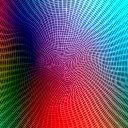
I can load it in full colour, but only 1/4 width (quashed to the left). |
|
| Back to top |
|
|
rinco
Joined: 21 Jan 2005
Posts: 255
Location: Canberra, Australia
|
| Posted: Sun Nov 27, 2005 12:50 am Post subject: |
|
|
Does RoundUpPow2 not round up if already a power of 2? Using a width of 512 instead of 128 might result in a 1/4 horizontal squash.
And I've seen a lot of roundUpPowerOfTwo functions floating around... the best being the one mrbrown submitted in SDL:
| Code: | static inline int roundUpToPowerOfTwo (int x)
{
return 1 << (32 - __builtin_allegrex_clz(x - 1));
}
|
Last edited by rinco on Sun Nov 27, 2005 1:03 am; edited 1 time in total |
|
| Back to top |
|
|
AnonymousTipster
Joined: 01 Jul 2005
Posts: 197
|
| Posted: Sun Nov 27, 2005 12:59 am Post subject: |
|
|
I tried taking out the RoundUp function, so just using the passed values (which for the moment is 128x128 anyway), but that doesn't change anything, so I think the function is ok.
The code is here in case there is a problem with it:
| Code: | unsigned long RoundUpPow2(unsigned long value)
{
--value;
value |= value >> 1;
value |= value >> 2;
value |= value >> 4;
value |= value >> 8;
value |= value >> 16;
++value;
return value;
} |
|
|
| Back to top |
|
|
Shine
Joined: 03 Dec 2004
Posts: 728
Location: Germany
|
| Posted: Sun Nov 27, 2005 4:29 am Post subject: |
|
|
| AnonymousTipster wrote: | This is the image i've been using to test:
I can load it in full colour, but only 1/4 width (quashed to the left). |
It works in Lua Player with this script:
| Code: |
jpg = Image.load("basicJPEG.jpg")
screen:blit(0, 0, jpg)
screen:flip()
while true do
screen.waitVblankStart()
if Controls.read():start() then break end
end
|
Perhaps you have problems with blitting it? If you don't want to use Lua, perhaps you should take a look at the new cpplibs/libpsp2d in SVN, which fraca7 has created for using from Lua Player, Python and other programs, which wants to use simple 2D graphics. But it is very new, I don't know, if it is ready to use (but it should, because it is based on the old C functions from Lua Player). |
|
| Back to top |
|
|
AnonymousTipster
Joined: 01 Jul 2005
Posts: 197
|
| Posted: Sun Nov 27, 2005 5:23 am Post subject: |
|
|
Ok, thanks. I thought the problem was in my code somewhere, but finding it is proving tricky.
I'll look at the 2D library and see if that helps. Thanks.
I don't think the problem is in the blitting routine, because the PNG loader works perfectly, as does Freetype2. |
|
| Back to top |
|
|
ector
Joined: 12 May 2005
Posts: 195
|
| Posted: Sun Nov 27, 2005 3:06 pm Post subject: |
|
|
I'm wondering about the weird type of your "buffer" variable. Try to cast it into a char* perhaps?
_________________
http://www.dtek.chalmers.se/~tronic/PSPTexTool.zip Free texture converter for PSP with source. More to come. |
|
| Back to top |
|
|
AnonymousTipster
Joined: 01 Jul 2005
Posts: 197
|
| Posted: Sun Nov 27, 2005 8:09 pm Post subject: |
|
|
Interesting, by changingto | Code: | | unsigned char *buffer; |
. I get a full length image, but only the red component. This is particularly odd because the documentation says that JSAMPARRAY should act exactly like unsigned char*, but it doesn't. Hmm.
OK, I've got it fixed now, I was using a different method which worked best with the JSAMP, but by changing it to the old method, it works perfectly with unsigned char*. Thanks ector!
Still puzzles me that JSAMPARRAY isn't what it's supposed to be, but at least it's working now. |
|
| Back to top |
|
|
|
|
You cannot post new topics in this forum
You cannot reply to topics in this forum
You cannot edit your posts in this forum
You cannot delete your posts in this forum
You cannot vote in polls in this forum
|
Powered by phpBB © 2001, 2005 phpBB Group
|
 FAQ
FAQ Search
 Memberlist
 Usergroups
 Register
 Profile
 Log in to check your private messages
 Log in


